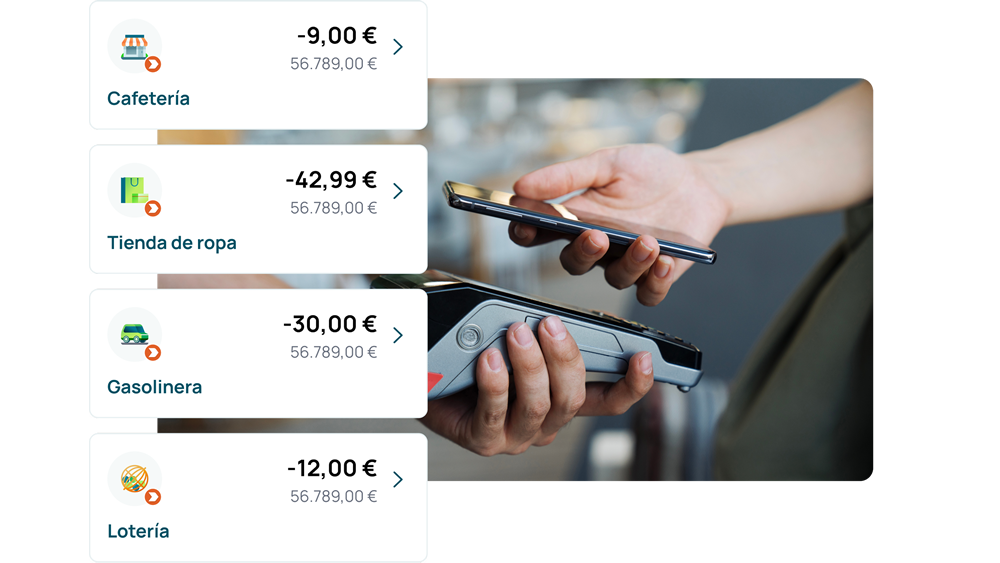
Pay at stores using your mobile phone without having to take out your wallet

It works with contactless technology on usual POS terminals with all payments being protected by your bank.

Direct from your account

The wallet which allows you pay without using a card at participating stores that have signed up for Bizum. The amount is instantly charged to your account, just like an instant transfer.

At no additional cost

Downloading the app and using this service no has no additional cost for you. 

Secure

Each payment is made by unlocking your mobile phone with a PIN, fingerprint or facial recognition. And your data are protected. 

Bizum Pay Unicaja

What is Bizum Pay?

Bizum Pay is the new Bizum wallet developed jointly alongside Spain's main banking institutions, which allows you to pay at brick and mortar stores using your mobile phone.

Pay with your mobile phone thanks to contactless technology (NFC). You can do so directly by charging the payment to your account without having to use a physical card as quickly as with a Bizum. If you so prefer, you can also associate your cards to the wallet and decide which one to pay with at any given time.

Everything you can do with Bizum Pay

Pay using your account

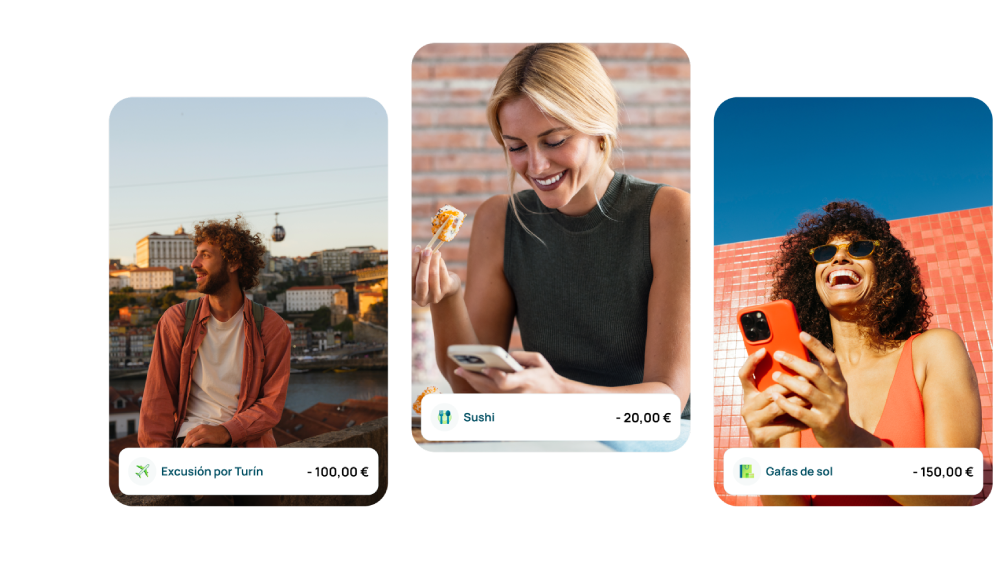
Pay instantly at participating brick and mortar stores using your account without having to use any card.

Add your cards

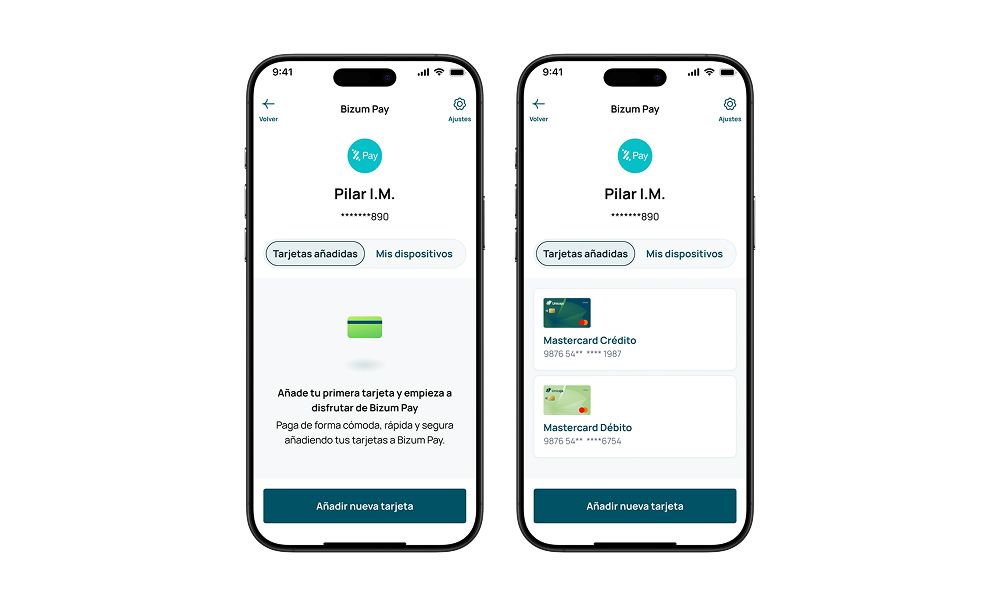
Associate your cards and choose your default payment method.

Payments abroad

Use Bizum Pay outside Spain with your associated cards just like any other wallet.

Backing for your payments

If the merchant's POS terminal does not support Bizum payments yet, the payment will be made with the card you have previously associated.

One for each specific moment

Bizum

Bizum is a mobile payment service which allows you to send, receive and request money instantly through just a phone number without having to provide any bank details. All on your Unicaja app. 


  • Send and receive money between contacts.
  • Pay at participating online merchants.
  • At no additional cost for the user.
  • And much, much more.

Bizum Pay

New

Bizum Pay is the new Bizum wallet developed jointly alongside Spain's main banking institutions, which allows you to pay using your mobile phone at brick and mortar stores that have signed up for this service. All on the Bizum Pay app.

  • Pay at merchants by swiping your mobile phone over the POS terminal.
  • Directly from your account, without a card.
  • Add your personal cards.
  • Free service for the user.


Start using Bizum Pay in just a few minutes

It's easy and quick

Enable Bizum Pay on your Unicaja app

You can enable it after downloading the Bizum Pay app. 

Step 1

Log in to your Unicaja Digital Banking service

Go to the Bizum section and tap Bizum Pay. All on the Unicaja app.

Step 2

Enable Bizum Pay

The Bizum Pay activation screen will open. Fill in the data requested, check everything is OK and confirm.

Step 3

Almost there!

You've already enabled Bizum Pay on the Unicaja app. Now go to the Bizum Pay app to finish the process. 

Download the Bizum Pay app

Step 1

Download the Bizum Pay app

Search for it on Google Play or the App Store and download it for free onto your mobile phone. It is the app you will use to pay at stores.

Step 2

Complete registration for Bizum Pay

Grant the necessary permissions for the app to work. In addition, you can leave this payment method as the default method.

Step 3

Start making payments

An easy, convenient and secure method to pay for whatever you want. 


Associate your cards to Bizum Pay

Additional flexibility for each payment.

Add your debit or credit cards to Bizum Pay and choose how you want to pay for each purchase, either through Bizum or using the card you have associated.

Bizum Pay

It will be available for your online purchases very soon

Coming soon

Bizum Pay will soon take the plunge into e-commerce. You will be able to pay for your online purchases with the same ease as always without having to fill in forms or card details at each store. All your payment methods grouped together in a single site.

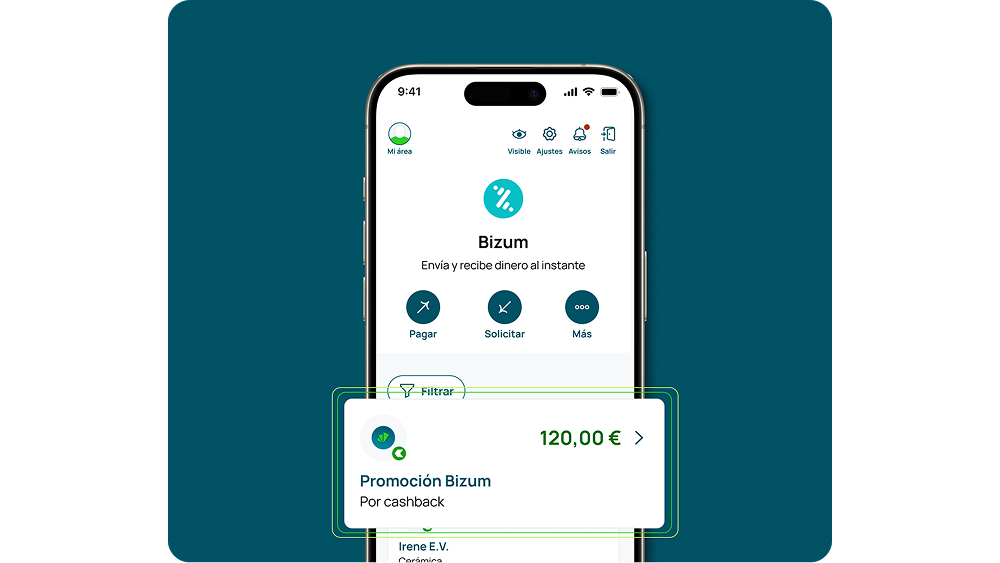
Enable Bizum at Unicaja and get cashbacks of up to €120

Get a 5% cashback on your Bizum online purchases up to at most €120 (excluding Bizum Pay).

Valid for new registrations until 31 December 2026.

Don't you have Bizum at Unicaja yet?

This promotion is for you. You must join it in the Unicaja app's Draws and Promotions section. 

Enable Bizum on your Unicaja mobile app

Go to the Bizum section from the main menu and enable the service in just a few minutes.

Confirm your telephone number
 

Enter your mobile phone number and accept the terms and conditions to complete registration.

Get a 5% cashback

Start paying with Bizum instantly and get cashbacks of up to €120 on your online purchases.

How do I get the €120 cashback with Bizum?

In order to take part, you must sign up for the promotion and enable the Bizum service at Unicaja.

Customers who register and enable Bizum within the promotional period may obtain a 5% cashback for purchases made with Bizum from online merchants during the six (6) months following registration.

Up to at most €20 gross per month (€16.20 net) and up to €120 gross in total (€97.20 net). Cancelled or returned purchases do not count. Promotion valid until 31 December 2026.

Find out why we are the bank of over 4 million people

And what if we are the bank you were looking for?

Near you

Over 800 branches across Spain. Digital, but also close to you whenever you need it. 

Institution that is a member of the Deposit Guarantee Fund

Your deposits are protected up to €100,000 by the Deposit Guarantee Fund.

24/7 service

24/7 customer service by phone, app, e-mail or chat. Always at your side

Social commitment

We allocate part of our profits to social projects and community support.

Frequently asked questions about Bizum Pay Unicaja

Bizum Pay is the new Bizum application to make payments at brick and mortar stores using your mobile phone. It allows you to pay directly by charging the amount to your account without the need for a card or by using the cards you have added to the wallet. 

No, they are not. Sending a Bizum involves sending or receiving money between people and it is done on the Unicaja app, as always. Paying with Bizum Pay involves paying for your purchases at brick and mortar stores on an independent app. They share the essentials, namely immediacy, simplicity and security, but each one has its own function.

Bizum Pay is the wallet that allows you to pay directly from your account without using a card. The money arrives at the merchant instantly, just like a transfer. As a matter of fact, Spain is the first country in Europe to offer face-to-face payments from an account on a mobile phone. If you so prefer, you can also pay with your cards like with any other wallet.

Downloading and using Bizum Pay is free of charge like any other wallet.

No, you cannot. Bizum Pay is a wallet solely meant for making payments at merchants. In order to send, receive or request money from your contacts continue using Bizum on your Unicaja app just like you have been doing until now.

Just three things: have Bizum enabled at Unicaja, be registered for Unicaja Key, a mobile phone equipped with NFC technology (Android or iPhone) and the Bizum Pay app, which is available free of charge at Google Play and the App Store.

Download the Bizum Pay app onto your mobile phone and follow the steps indicated. You can also initiate the enabling process in the Bizum section / Bizum Pay of your Digital Banking service. You have to follow the instructions that will be displayed on screen and do not forget to go back to the Bizum Pay app to finish the set up process. Your Bizum Pay username will be activated in just a few minutes and you can start making payments.


Digital Banking->Bizum->More->Access with Bizum->Bizum Pay->Confirm the operation

Yes, it is the main requirement. Bizum Pay is linked to your Bizum username. If you still do not have it, enable it in just a few minutes in the Bizum section of the Unicaja Digital Banking service. For it to work properly, make sure you follow these steps:


Digital Banking → Bizum → Register for Bizum → Confirm your mobile phone number → Accept the terms and conditions

Bizum Pay works on Android phones and iPhones equipped with NFC technology, the same technology used to make contactless payments. NFC is enabled by default on iPhones. You can enable it on Android phones in your device's settings menu.

To enable Bizum Pay at Unicaja, you need to have your Bizum associated to your Unicaja account. If you have it at another institution, you can bring it to Unicaja in just a few minutes in your Digital Banking service's Bizum section by following these steps:


Unicaja Digital Banking → Bizum -> Registration -> Bring my Bizum to Unicaja → Confirm your mobile phone number

You have two options and you can choose one of them at any given time: either paying directly by charging the payment to your account at participating merchants that have signed up for this service or using the cards you have added to the wallet. You can set up a favourite method for your usual purchases and change it whenever you want.

Once Bizum Pay has been enabled, your bank enables the option to add your cards to the wallet. You can associate your Unicaja cards, choose which one to pay for each purchase or set one of them as the default payment method on the app itself.


Bizum Pay app → Payment methods → Add card → Verify with your bank → (Optional) Mark as default method

You will also be able to make the payment with Bizum Pay if you have added cards to your wallet. You can use them to pay at any merchant with a contactless POS terminal, regardless of whether or not they have joined the payment from account scheme. 

Yes, you can change it at any time on the Bizum Pay app itself: choose between your account or any of the cards you have added. The method you mark as your favourite will be the one used when the mobile phone is swiped over the POS terminal. If you are unsure, you can follow these steps to set it up:


Bizum Pay app → Payment methods → Select an account or card → Set as favourite

Unlock your mobile phone without having to open the app if Bizum Pay is your default wallet. Swipe it over the POS terminal and that's it. The payment is made in seconds using your default method. On an iPhone, press the side button twice before swiping it.

The network is growing on a daily basis. There are already over a million compatible POS terminals in Spain, about 60% of all terminals and the percentage is increasing constantly. In addition, you can use the cards you have added to pay at any merchant equipped with a contactless POS terminal.

No, you don't. If you set up Bizum Pay as your default wallet on your mobile phone, you just have to unlock it and swipe it over the terminal. You will only need to open the app if you want to change the payment method for a specific purchase.

Yes, you can with the cards you have added to the wallet. It works just like any other wallet outside Spain. For the moment, direct payment from accounts is only available for participating merchants in Spain.

No, not yet. For the moment, Bizum Pay has been designed for payments at brick and mortar stores. The possibility of also paying at online merchants will be available soon with same convenience, simplicity and security.

When it is available, you will be able to choose Bizum as the payment method at the online merchant and confirm the purchase on your wallet in seconds without having to enter any card details or fill in forms on each website.

Yes, you can. Bizum payments at participating online merchants will continues to work as before with your phone number and validation on your Digital Banking service. Bizum Pay does not replace it.

Yes, it is. Each payment requires unlocking your mobile phone via a PIN, fingerprint or facial recognition. The service complies with the European PSD2 directive with the same safeguards as the rest of payment methods.

No, they cannot. Your data will remain within the bank's environment at all times. The merchant receives the payment but cannot gain access to either your personal information or your account or card details.

Nobody can use your Bizum Pay to make payments without unlocking your mobile phone. Your PIN, fingerprint or facial recognition protect each transaction. However, if you lose your device, get in touch with us as soon as possible to block the service. 

Yes, you will. Each transaction is recorded instantly. You will therefore be able to query your payments on the Bizum Pay app itself and on your Digital Banking service, which always have up-to-date information on your movement.

We are here to help you out. Call us at 900 15 15 16 (also at 952 60 67 67), Monday to Saturday from 8:00 am to 10:00 pm or write to us using the contact form. You can also go to any of our branches.

At this time, the Bizum Pay service is not yet available for accepting new merchants. We are working actively to include it with all the necessary quality, security and experience safeguards.

Can we help you?

You can also contact the Bank by calling at 952 60 67 67 or through the contact form.

The telephone service hours are Monday to Saturday from 8:00 a.m. to 10:00 p.m. (except national holidays).